
# LLM Relay import Overview from './llm-relay/overview.mdx'; # Page Not Found import Link from 'next/link'; We couldn’t find the page you were looking for. It might have moved or been renamed. ## Popular sections
LLM Relay Overview Using the LLM API: Getting Started Using the Web3 API: Getting Started Get Help on Discord
# Discord We’ve tried to address the most frequently asked questions in these docs. However, if you require additional technical assistance with 1RPC, the LLM API, or using the Web3 relay, please drop us a message on our [Discord](https://discord.com/invite/automata). ## Get support
Discord logo
Join the Automata Network Discord Server

Get help from the team and community for 1RPC, LLM API, and the Web3 relay.
We also monitor the following inbox: * [plus@1rpc.io](mailto:plus@1rpc.io) # Useful links Below is a collection of links to help you understand 1RPC better: ## Reference links * [Tech explainer on 1RPC](https://medium.com/atanetwork/breaking-down-the-tech-behind-1rpc-223ccc3e5dac) * Using relay nodes hosted within secure enclaves, 1RPC’s privacy-protected endpoints shield users from metadata leakage. [1RPC demo](https://why.1rpc.io/) is an interactive site to show how the relay achieves true zero-tracking with a number of methods including metadata masking and multicall disassociation. * [1RPC site](https://www.1rpc.io/) * [Automata's Twitter](https://ata.ws/twitter) * [1RPC's Twitter](https://twitter.com/1rpc_) # Overview 1RPC LLM relay cover ## What is 1RPC? 1RPC is a relay that protects user privacy and keeps AI accountable with attested TEEs. A Trusted Execution Environment, or TEE, provides hardware-based isolation to ensure the confidentiality and integrity of computation that runs on it.
1RPC logo
1RPC.ai - Multi-model AI chatbox with zero-trace routing

1rpc.ai

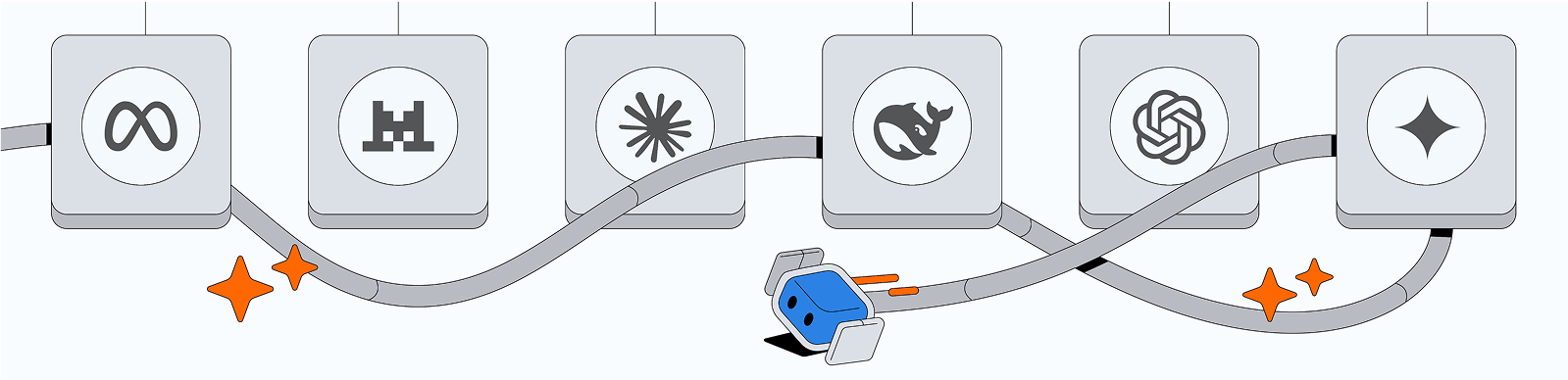
* Endpoint is verified as the official model by the provider * Minimal metadata is used for routing and wiped after relaying * Requests are signed by a (TEE) relay with verifiable guarantees [1RPC.ai](https://1rpc.ai) allows requests to be relayed to verified LLM models, with built-in privacy protections. Our documentation is designed to provide you with a comprehensive look at the technical design of the attested LLM relay, with a clear guide to get you started with making API calls. # Authentication import { Callout } from 'fumadocs-ui/components/callout'; Authentication cover The LLM relay uses Bearer tokens for authentication. Your API key acts as the Bearer token and must be included in the `Authorization` header when making requests. A Bearer token is a secure, stateless method of verifying API requests. ## Direct API requests Set the `Authorization` header to `Bearer <1RPC_AI_API_KEY>` when making direct API calls. ```python import openai openai.api_base = "https://1rpc.ai/v1" openai.api_key = "<1RPC_AI_API_KEY>" ``` ```typescript fetch('https://1rpc.ai/v1/chat/completions', { method: 'POST', headers: { Authorization: 'Bearer <1RPC_AI_API_KEY>', 'Content-Type': 'application/json', }, }); ``` ```sh curl https://1rpc.ai/v1/chat/completions \ -H "Content-Type: application/json" \ -H "Authorization: Bearer $ONERPC_AI_API_KEY" ``` ## OpenAI TypeScript SDK Set `baseURL` to `https://1rpc.ai/v1` and pass your API key as `apiKey`. ```typescript import OpenAI from 'openai'; const openai = new OpenAI({ baseURL: 'https://1rpc.ai/v1', apiKey: '<1RPC_AI_API_KEY>', }); ``` # Errors import { Callout } from 'fumadocs-ui/components/callout'; Errors cover ## HTTP errors Our API utilizes standard HTTP status codes to indicate errors: * 400: The API key is invalid, or the requested model is not supported. * 429: Your account or API key has run out of balance. Please add funds and try again. ## Provider errors In case of an error from the model provider, the error.metadata will contain relevant details. The format of this metadata is outlined below: ```typescript type ProviderErrorMetadata = { provider_name: string; // The name of the provider that encountered the error raw: unknown; // The raw error from the provider }; ``` ## Error format Errors are always returned as JSON, with the following structure: ```typescript type ErrorResponse = { error: { code: number; message: string; metadata?: Record; }; }; ``` The HTTP status code in the response will correspond to the error.code. Errors will occur under the following circumstances: * The request is invalid. * The API key/account has insufficient balance. * The API key is invalid. If no issues are found, the response will return a 200 OK status. Any errors encountered during LLM processing will be included in the response body or sent as an SSE data event. # Getting started import { Callout } from 'fumadocs-ui/components/callout'; 1RPC LLM relay cover 1RPC.ai provides a single endpoint with access to 38+ verified LLM models. The API is made available via the 1RPC.ai dashboard. At the same time, monitor and control spending across different AI models with aggregated usage in one place. Immediately rotate your API key if you suspect that it has been leaked, compromised, or misused. ## Sample request ```python import requests import json response = requests.post( url="https://1rpc.ai/v1/chat/completions", headers={ "Authorization": "Bearer <1RPC_AI_API_KEY>", "Content-Type": "application/json", "Accept": "application/json", }, data=json.dumps({ "model":"openai/gpt-4o", "messages": [ { "role": "user", "content": "What is the meaning of life?" } ] }] ) ``` ```typescript fetch('https://1rpc.ai/v1/chat/completions', { method: 'Post', headers: { Authorization: 'Bearer <1RPC_AI_API_KEY>', 'Content-Type': 'application/json', }, body: JSON.stringify({ model: 'openai/gpt-4o', messages: [ { role: 'user', content: 'What is the meaning of life?' }, ], }), }); ``` ```sh curl https://1rpc.ai/v1/chat/completions \ -H "Content-Type" application/json" \ -H "Authorization: Bearer $ONERPC_AI_API_KEY" \ -d '{ "model": openai/gpt-4o", "messages": [ { "role": "user", "content": "What is the meaning of life?" } ] }' ``` # Using the LLM API import Image from 'next/image'; LLM API cover # Using the LLM API 1RPC.ai exposes a single endpoint that routes to 39+ verified LLM models while keeping requests private inside an attested TEE relay. Manage keys, limits, and usage directly from the dashboard. ## What’s inside Use the pages in this section to set up your first request, review available models and pricing, and learn how authentication, billing, and error handling work. # Models 1RPC LLM models cover ## Available models | Model | Developer | Context Length | Knowledge cutoff | Input (per million tokens) | Output (per million tokens) | | ------------------------------- | ---------- | -------------- | ---------------- | ----------------------------------------------------------------- | --------------------------- | | GPT-5.1 | OpenAI | 400,000 | Sep 30, 2024 | $1.25 | $10.00 | | GPT-5 | OpenAI | 400,000 | Oct 01, 2024 | $1.25 | $10.00 | | GPT-5 Mini | OpenAI | 400,000 | May 31, 2024 | $0.25 | $2.00 | | GPT-5 Nano | OpenAI | 400,000 | May 31, 2024 | $0.05 | $0.40 | | GPT-4.1 | OpenAI | 1 million | June 01, 2024 | $2.00 | $8.00 | | GPT-4.1 Mini | OpenAI | 1 million | June 01, 2024 | $0.40 | $1.60 | | GPT-4.1 Nano | OpenAI | 1 million | June 01, 2024 | $0.10 | $0.40 | | GPT-4.5 Preview | OpenAI | 128,000 | Oct 01, 2023 | $75.00 | $150.00 | | GPT-4o | OpenAI | 128,000 | Oct 01, 2023 | $2.50 | $10.00 | | GPT-4o Mini | OpenAI | 128,000 | Oct 01, 2023 | $0.15 | $0.60 | | o4-mini | OpenAI | 200,000 | Jun 01, 2024 | $1.10 | $4.40 | | o3-mini | OpenAI | 200,000 | Oct 01, 2023 | $1.10 | $4.40 | | o1 | OpenAI | 200,000 | Oct 01, 2023 | $15.00 | $60.00 | | o1-mini | OpenAI | 128,000 | Oct 01, 2023 | $1.10 | $4.40 | | DeepSeek Chat (DeepSeek-V3) | DeepSeek | 64,000 | Unknown | $0.27 | $1.10 | | DeepSeek Reasoner (DeepSeek-R1) | DeepSeek | 64,000 | Unknown | $0.55 | $2.19 | | Claude Opus 4.5 | Anthropic | 200,000 | Aug 2025 | $5.00
Caching write: $6.25
Caching read: $0.50 / MTok | $75.00 | | Claude Opus 4.1 | Anthropic | 200,000 | Mar 2025 | $15.00
Caching write: $18.75
Caching read: $1.50 / MTok | $75.00 | | Claude Opus 4 | Anthropic | 200,000 | Mar 2025 | $15.00
Caching write: $18.75
Caching read: $1.50 / MTok | $75.00 | | Claude 3 Opus | Anthropic | 200,000 | Aug 2023 | $15.00
Caching write: $18.75
Caching read: $1.50 / MTok | $75.00 | | Claude Sonnet 4.5 | Anthropic | 200,000 | Jul 2025 | $3.00
Caching write: $3.75
Caching read: $0.30 / MTok | $15.00 | | Claude Sonnet 4 | Anthropic | 200,000 | Mar 2025 | $3.00
Caching write: $3.75
Caching read: $0.30 | $15.00 | | Claude 3.7 Sonnet | Anthropic | 200,000 | Oct 2024 | $3.00
Caching write: $3.75
Caching read: $0.30 | $15.00 | | Claude Haiku 4.5 | Anthropic | 200,000 | Jul 2024 | $1.00
Caching write: $1.25
Caching read: $0.10 | $5.00 | | Claude 3.5 Haiku | Anthropic | 200,000 | July 2024 | $0.80
Caching write: $18.75
Caching read: $1.50 | $4.00 | | Claude 3 Haiku | Anthropic | 200,000 | Aug 2023 | $0.25
Caching write: $0.30
Caching read: $0.03 | $1.25 | | Gemini 3 Pro Preview | Google | 1 million | Jan 2025 | $2.00 | $12.00 | | Gemini 2.5 Pro Preview | Google | 1 million | Jan 2025 | $1.25 | $10.00 | | Gemini 1.5 Pro | Google | 2 million | May 2024 | $1.25 | $5.00 | | Gemini 2.5 Flash Preview | Google | 1 million | Jan 2025 | $0.15 | $0.60 | | Gemini 2.0 Flash | Google | 1 million | August 2024 | $0.10 | $0.40 | | Gemini 2.0 Flash-Lite | Google | 1 million | June 2024 | $0.075 | $0.30 | | Gemini 1.5 Flash | Google | 1 million | Unknown | $0.075 | $0.30 | | Gemini 1.5 Flash-8B | Google | 1 million | Unknown | $0.0375 | $0.15 | | Mistral NeMo | Mistral AI | 128,000 | Unknown | $0.035 | $0.08 | | Llama 4 Maverick | Meta | 10 million | Aug 2024 | $0.17 | $0.85 | | Llama 4 Scout | Meta | 1 million | Aug 2024 | $0.08 | $0.30 | | Llama 3.3 | Meta | 200,000 | Dec 2023 | $0.12 | $0.30 | # Payment import { Callout } from 'fumadocs-ui/components/callout'; import { ImageZoom } from 'fumadocs-ui/components/image-zoom'; Payment cover ## Billing Each 1RPC API key is assigned a spend limit based on the current balance. Once the balance is depleted, the API key becomes inactive—top up the balance as needed to ensure uninterrupted access. All payments are processed through Stripe. 1RPC does not store your credit card information.
Click the Top Up button on the dashboard and choose an amount to refill your balance via Stripe.
# Errors ## Request limit There is a size limit for each RPC request (default 2 MB). * Error code: `-32600` * Error message: `JSON RPC Request is too large` Example: ```json {"jsonrpc": "2.0", "error": {"code": -32600, "message": "JSON RPC Request is too large"}, "id": 1} ``` ## Response limit There is a response size limit for each RPC request. Calls like `eth_getLogs` can be reduced by refining the request (for example, a smaller block range). * Error code: `-32000` * Error message: `response size should not greater than 2097152 bytes` Example: ```json {"jsonrpc": "2.0", "error": {"code": -32000, "message": "response size should not greater than 2097152 bytes"}, "id": 1} ``` ## Usage quota Rule ID: `001` Default daily usage quota per user: `10,000`. Once the rate limit is reached, requests are blocked until 00:00 UTC the following day. * Error code: `-32001` * Error message: `Exceeded the quota usage` Example: ```json {"jsonrpc": "2.0", "error": {"code": -32001, "message": "Exceeded the quota usage"}, "id": 1} ``` ## Address whitelist/blacklist Rule ID: `002` Users can maintain address lists on the dashboard. For each `eth_sendRawTransaction` request, the relay decodes addresses that users interact with and validates them against the configured lists. Supported methods: * `approve` * `setApprovalForAll` * `transferFrom` * `safeTransferFrom` * `transfer` * Error code: `-32002` * Error message: `Blocked by 1RPC: invalid address. See https://rules.1rpc.io/002` Example: ```json {"jsonrpc": "2.0", "error": {"code": -32002, "message": "Blocked by 1RPC: invalid address. See https://rules.1rpc.io/002"}, "id": 1} ``` ## Uniswap recipient validation Rule ID: `003` Ensures that the recipient of a Uniswap transaction matches the sender. Mismatches are blocked. Supported networks and contracts: * Ethereum Mainnet: * V3 Router: `0xE592427A0AEce92De3Edee1F18E0157C05861564` * V3 Router2: `0x68b3465833fb72A70ecDF485E0e4C7bD8665Fc45` * V2 Router: `0xf164fC0Ec4E93095b804a4795bBe1e041497b92a` * V2 Router2: `0x7a250d5630B4cF539739dF2C5dAcb4c659F2488D` * Polygon Mainnet: * V3 Router: `0xE592427A0AEce92De3Edee1F18E0157C05861564` * V3 Router2: `0x68b3465833fb72A70ecDF485E0e4C7bD8665Fc45` * Optimism: * V3 Router: `0xE592427A0AEce92De3Edee1F18E0157C05861564` * V3 Router2: `0x68b3465833fb72A70ecDF485E0e4C7bD8665Fc45` * Arbitrum One: * V3 Router: `0xE592427A0AEce92De3Edee1F18E0157C05861564` * V3 Router2: `0x68b3465833fb72A70ecDF485E0e4C7bD8665Fc45` * Celo Mainnet: * V3 Router2: `0x5615CDAb10dc425a742d643d949a7F474C01abc4` Supported methods: * V3 Router: * `exactInput` * `exactInputSingle` * `exactOutput` * `exactOutputSingle` * V3 Router2: * `exactInput` * `exactInputSingle` * `exactOutput` * `exactOutputSingle` * `swapExactTokensForTokens` * `swapTokensForExactTokens` * V2 Router: * `swapExactTokensForTokens` * `swapTokensForExactTokens` * `addLiquidity` * `addLiquidityETH` * `removeLiquidity` * `removeLiquidityETH` * `removeLiquidityWithPermit` * `removeLiquidityETHWithPermit` * `swapETHForExactTokens` * `swapExactETHForTokens` * `swapTokensForExactETH` * `swapExactTokensForETH` * V2 Router2: * `swapExactTokensForTokens` * `swapTokensForExactTokens` * `addLiquidity` * `addLiquidityETH` * `removeLiquidity` * `removeLiquidityETH` * `removeLiquidityWithPermit` * `removeLiquidityETHWithPermit` * `swapETHForExactTokens` * `swapExactETHForTokens` * `swapTokensForExactETH` * `swapExactTokensForETH` * `removeLiquidityETHSupportingFeeOnTransferTokens` * `removeLiquidityETHWithPermitSupportingFeeOnTransferTokens` * `swapExactETHForTokensSupportingFeeOnTransferTokens` * `swapExactTokensForETHSupportingFeeOnTransferTokens` * `swapExactTokensForTokensSupportingFeeOnTransferTokens` * Error code: `-32003` * Error message: `Blocked by 1RPC: recipient is suspicious. See https://rules.1rpc.io/003` Example: ```json {"jsonrpc": "2.0", "error": {"code": -32003, "message": "Blocked by 1RPC: recipient is suspicious. See https://rules.1rpc.io/003"}, "id": 1} ``` ## GoPlus address scanning Rule ID: `051` Ensures addresses users interact with are verified against the GoPlus [Malicious Address API](https://gopluslabs.io/). By using this rule, users agree to GoPlus' Terms of Use. Supported methods: * `approve` * `setApprovalForAll` * `transferFrom` * `safeTransferFrom` * `transfer` Supported networks: Ethereum Mainnet, BNB Smart Chain, Polygon Mainnet, Fantom Opera, Arbitrum One, Avalanche. * Error code: `-32051` * Error message: `Blocked by 1RPC: malicious address. See https://rules.1rpc.io/051` Example: ```json {"jsonrpc": "2.0", "error": {"code": -32051, "message": "Blocked by 1RPC: malicious address. See https://rules.1rpc.io/051"}, "id": 1} ``` ## HashDit address scanning Rule ID: `052` Ensures the trust score based on risk levels provided by [HashDit Trust Score](https://hashdit.github.io/hashdit/docs/trust-score-description/) meets the configured threshold. By using this rule, users agree to HashDit's [Terms of Use](https://hashdit.github.io/hashdit/docs/privacy-policy). Supported methods: * `approve` * `setApprovalForAll` * `transferFrom` * `safeTransferFrom` * `transfer` Supported networks * BNB Smart Chain * Error code: `-32052` * Error message: `Blocked by 1RPC: insufficient trust score.` Example: ```json {"jsonrpc": "2.0", "error": {"code": -32052, "message": "Blocked by 1RPC: insufficient trust score. See https://rules.1rpc.io/052"}, "id": 1} ``` ## Explorer contract verification Rule ID: `053` Ensures that the target contract address users interact with is verified on the chain's official explorer. Supported networks and terms of use: * Ethereum Mainnet: [Etherscan](https://etherscan.io/terms) * BNB Smart Chain: [BscScan](https://bscscan.com/terms) * Polygon Mainnet: [Polygon Scan](https://polygonscan.com/terms) * Arbitrum One: [Arbiscan](https://arbiscan.io/terms) * Moonbeam: [MoonScan](https://moonscan.io/terms) * Avalanche: [SnowTrace](https://snowtrace.io/terms) * Optimism: [Optimistic](https://optimistic.etherscan.io/terms) * Fantom Opera: [FtmScan](https://ftmscan.com/terms) * Scroll: [Scrollscan](https://scrollscan.com/terms) * Error code: `-32053` * Error message: `Blocked by 1RPC: unverified contract.` Example: ```json {"jsonrpc": "2.0", "error": {"code": -32053, "message": "Blocked by 1RPC: unverified contract. See https://rules.1rpc.io/053"}, "id": 1} ``` # Getting started import { Callout } from 'fumadocs-ui/components/callout'; 1RPC.io provides a single endpoint that protects users' privacy and assets. 1rpc.io and 1rpc.ai have separate account systems. API keys for each platform are unique and cannot be used interchangeably. * Zero tracking: user metadata is not retained once the request has been successfully relayed (burn after relaying). * Metadata masking: metadata attached to a user's request is replaced with 1RPC's own. * Random dispatching: requests are dispatched randomly to providers to break linkage between wallets when requests are sent from different addresses. * Transaction sanitizers: filter and validate transactions before they are relayed to the blockchain. ## Build with 1RPC Replace the existing RPC URL with 1RPC's endpoint to interact with the blockchain. ```sh curl --request POST \ --url https://1rpc.io/eth \ --header 'Accept: application/json' \ --header 'Content-Type: application/json' \ --data '{ "id": 1, "jsonrpc": "2.0", "method": "eth_blockNumber" }' ``` ```go package main import ( "context" "fmt" "github.com/ethereum/go-ethereum/ethclient" ) func main() { const url = "https://1rpc.io/eth" rpcClient, err := ethclient.Dial(url) if err != nil { panic(err) } blockNumber, err := rpcClient.BlockNumber(context.Background()) if err != nil { panic(err) } fmt.Println(blockNumber) } ``` ```javascript const Web3 = require('web3'); const url = 'https://1rpc.io/eth'; const web3 = new Web3(new Web3.providers.HttpProvider(url)); web3.eth.getBlockNumber((error, blockNumber) => { if (!error) { console.log(blockNumber); } else { console.log(error); } }); ``` ```python from web3 import Web3, HTTPProvider url = 'https://1rpc.io/eth' web3 = Web3(HTTPProvider(url)) print(web3.eth.block_number) ``` ```sh wscat -c wss://1rpc.io/dot > {"jsonrpc": "2.0", "id": 0, "method": "system_chainType"} ``` # Networks ## Supported networks 1RPC currently supports 64+ chains, with more being added to the list:
| Network Name | 1RPC URL | Chain ID | Currency Symbol | Block Explorer URL | | ------------------------------------------ | ------------------------------------------------------------------------------------------------------------------------------------------------------------ | ---------------- | --------------- | ------------------------------------------------------------------------------------------------------------------------------------------------------ | | Ethereum | [https://1rpc.io/eth](https://1rpc.io/eth) | 1 | ETH | [https://etherscan.io](https://etherscan.io) | | Ethereum Holesky | [https://1rpc.io/holesky](https://1rpc.io/holesky) | 17000 | ETH | [https://holesky.etherscan.io](https://holesky.etherscan.io) | | Ethereum Sepolia | [https://1rpc.io/sepolia](https://1rpc.io/sepolia) | 11155111 | ETH | [https://sepolia.etherscan.io/](https://sepolia.etherscan.io/) | | Ethereum Hoodi | [https://1rpc.io/hoodi](https://1rpc.io/hoodi) | 560048 | ETH | [https://hoodi.etherscan.io](https://hoodi.etherscan.io) | | BNB Chain | [https://1rpc.io/bnb](https://1rpc.io/bnb) | 56 | BNB | [https://bscscan.com](https://bscscan.com) | | Polygon | [https://1rpc.io/matic](https://1rpc.io/matic) | 137 | MATIC | [https://polygonscan.com](https://polygonscan.com) | | Polygon zkEVM | [https://1rpc.io/polygon/zkevm](https://1rpc.io/polygon/zkevm) | 1101 | ETH | [https://zkevm.polygonscan.com](https://zkevm.polygonscan.com) | | AvalancheC Chain
P Chain
X Chain | [https://1rpc.io/avax/c](https://1rpc.io/avax/c)
[https://1rpc.io/avax/p](https://1rpc.io/avax/p)
[https://1rpc.io/avax/x](https://1rpc.io/avax/x) | 43114 | AVAX | [https://subnets.avax.network/c-chain](https://subnets.avax.network/c-chain) | | Arbitrum | [https://1rpc.io/arb](https://1rpc.io/arb) | 42161 | ETH | [https://arbiscan.io](https://arbiscan.io) | | Moonbeam | [https://1rpc.io/glmr](https://1rpc.io/glmr)
wss\://1rpc.io/glmr | 1284 | GLMR | [https://moonscan.io](https://moonscan.io) | | Astar | [https://1rpc.io/astr](https://1rpc.io/astr)
wss\://1rpc.io/astr | 592 | ASTR | [https://blockscout.com/astar](https://blockscout.com/astar) | | Polkadot | wss\://1rpc.io/dot | | | | | Kusama | wss\://1rpc.io/ksm | | | | | Acala | wss\://1rpc.io/aca | | | | | Optimism | [https://1rpc.io/op](https://1rpc.io/op) | 10 | ETH | [https://optimistic.etherscan.io](https://optimistic.etherscan.io) | | zkSync Era | [https://1rpc.io/zksync2-era](https://1rpc.io/zksync2-era) | 324 | ETH | [https://explorer.zksync.io](https://explorer.zksync.io) | | Fantom | [https://1rpc.io/ftm](https://1rpc.io/ftm) | 250 | FTM | [https://ftmscan.com](https://ftmscan.com) | | Celo | [https://1rpc.io/celo](https://1rpc.io/celo) | 42220 | CELO | [https://explorer.celo.org](https://explorer.celo.org) | | Klaytn | [https://1rpc.io/klay](https://1rpc.io/klay) | 8217 | KLAY | [https://www.klaytnfinder.io](https://www.klaytnfinder.io) | | Starknet | [https://1rpc.io/starknet](https://1rpc.io/starknet) | | | [https://starkscan.co](https://starkscan.co) | | AltLayer | [https://1rpc.io/alt-testnet](https://1rpc.io/alt-testnet) | 9997 | ETH | [https://testnet-rollup-explorer.altlayer.io](https://testnet-rollup-explorer.altlayer.io) | | Near | [https://1rpc.io/near](https://1rpc.io/near) | | | [https://explorer.near.org](https://explorer.near.org) | | Aurora | [https://1rpc.io/aurora](https://1rpc.io/aurora) | 1313161554 | ETH | [https://explorer.mainnet.aurora.dev](https://explorer.mainnet.aurora.dev) | | Base | [https://1rpc.io/base](https://1rpc.io/base) | 8453 | ETH | [https://basescan.org](https://basescan.org) | | Harmony | [https://1rpc.io/one](https://1rpc.io/one) | 1666600000 | ONE | [https://explorer.harmony.one](https://explorer.harmony.one) | | Secret NetworkRPC
LCD | [https://1rpc.io/scrt-rpc](https://1rpc.io/scrt-rpc)
[https://1rpc.io/scrt-lcd](https://1rpc.io/scrt-lcd) | | | [https://www.mintscan.io/secret](https://www.mintscan.io/secret) | | Bitcoin | [https://1rpc.io/btc](https://1rpc.io/btc) | | | | | Linea | [https://1rpc.io/linea](https://1rpc.io/linea) | 59144 | ETH | [https://lineascan.build](https://lineascan.build) | | Wormhole Guardians | [https://1rpc.io/wormhole](https://1rpc.io/wormhole) | | | | | Sui | [https://1rpc.io/sui](https://1rpc.io/sui) | | | [https://suiexplorer.com](https://suiexplorer.com) | | Oasis Network
Emerald
Sapphire | [https://1rpc.io/oasis/emerald](https://1rpc.io/oasis/emerald)
[https://1rpc.io/oasis/sapphire](https://1rpc.io/oasis/sapphire) | 42262
23294 | ROSE | [https://explorer.emerald.oasis.dev](https://explorer.emerald.oasis.dev)
[https://explorer.sapphire.oasis.io](https://explorer.sapphire.oasis.io) | | Scroll | [https://1rpc.io/scroll](https://1rpc.io/scroll) | 534352 | ETH | [https://scrollscan.com](https://scrollscan.com) | | Automata Testnet | [https://1rpc.io/ata/testnet](https://1rpc.io/ata/testnet) | 1398243 | ETH | [https://explorer-testnet.ata.network](https://explorer-testnet.ata.network) | | Injective
RPC
LCD | [https://1rpc.io/inj-rpc](https://1rpc.io/inj-rpc)
[https://1rpc.io/inj-lcd](https://1rpc.io/inj-lcd) | | | [https://explorer.injective.network](https://explorer.injective.network) | | Gnosis | [https://1rpc.io/gnosis](https://1rpc.io/gnosis) | 100 | xDAI | [https://gnosisscan.io](https://gnosisscan.io) | | OKT Chain | [https://1rpc.io/oktc](https://1rpc.io/oktc) | 66 | OKT | [https://okx.com/explorer/oktc](https://okx.com/explorer/oktc) | | Mantle | [https://1rpc.io/mantle](https://1rpc.io/mantle) | 5000 | MNT | [https://explorer.mantle.xyz](https://explorer.mantle.xyz) | | Cronos | [https://1rpc.io/cro](https://1rpc.io/cro) | 25 | CRO | [https://cronoscan.com](https://cronoscan.com) | | opBNB | [https://1rpc.io/opbnb](https://1rpc.io/opbnb) | 204 | BNB | [https://opbnbscan.com](https://opbnbscan.com) | | Aptos | [https://1rpc.io/aptos](https://1rpc.io/aptos) | | | [https://explorer.aptoslabs.com](https://explorer.aptoslabs.com) | | Osmosis
RPC
LCD | [https://1rpc.io/osmosis-rpc](https://1rpc.io/osmosis-rpc)
[https://1rpc.io/osmosis-lcd](https://1rpc.io/osmosis-lcd) | | | [https://atomscan.com/osmosis](https://atomscan.com/osmosis) | | SEI
RPC
LCD | [https://1rpc.io/sei-rpc](https://1rpc.io/sei-rpc)
[https://1rpc.io/sei-lcd](https://1rpc.io/sei-lcd) | | | [https://seiscan.app](https://seiscan.app) | | Manta | [https://1rpc.io/manta](https://1rpc.io/manta) | 169 | ETH | [https://pacific-explorer.manta.network](https://pacific-explorer.manta.network) | | Core | [https://1rpc.io/core](https://1rpc.io/core) | 1116 | CORE | [https://scan.coredao.org](https://scan.coredao.org) | | Telos EVM | [https://1rpc.io/telos/evm](https://1rpc.io/telos/evm) | 40 | TLOS | [https://teloscan.io](https://teloscan.io) | | Boba Ethereum | [https://1rpc.io/boba/eth](https://1rpc.io/boba/eth) | 288 | ETH | [https://bobascan.com](https://bobascan.com) | | Mode | [https://1rpc.io/mode](https://1rpc.io/mode) | 34443 | ETH | [https://explorer.mode.network](https://explorer.mode.network) | | Axelar
RPC
LCD | [https://1rpc.io/axelar-rpc](https://1rpc.io/axelar-rpc)
[https://1rpc.io/axelar-lcd](https://1rpc.io/axelar-lcd) | | | [https://https://axelarscan.io](https://https://axelarscan.io) | | Horizen EON | [https://1rpc.io/horizen-eon](https://1rpc.io/horizen-eon) | 7332 | ZEN | [https://eon-explorer.horizenlabs.io](https://eon-explorer.horizenlabs.io) | | HyperEVM | [https://1rpc.io/hyperliquid](https://1rpc.io/hyperliquid) | 999 | HYPE | [https://hyperliquid.cloud.blockscout.com](https://hyperliquid.cloud.blockscout.com) | | Unichain | [https://1rpc.io/unichain](https://1rpc.io/unichain) | 130 | ETH | [https://uniscan.xyz](https://uniscan.xyz) | | Scroll Sepolia | Available on Developer Plan | 534351 | ETH | [https://sepolia.scrollscan.com](https://sepolia.scrollscan.com) | | X Layer Testnet | Available on Developer Plan | 195 | OKB | [https://www.okx.com/explorer/xlayer-test](https://www.okx.com/explorer/xlayer-test) | | Mode Sepolia | Available on Developer Plan | 919 | ETH | [https://sepolia.explorer.mode.network](https://sepolia.explorer.mode.network) | | Taiko Katla | Available on Developer Plan | 167008 | ETH | [https://explorer.katla.taiko.xyz](https://explorer.katla.taiko.xyz) | | Avail Testnet | Available on Developer Plan | | | [https://goldberg.avail.tools](https://goldberg.avail.tools) | | World Sepolia | Available on Developer Plan | 4801 | ETH | [https://worldchain-sepolia.explorer.alchemy.com](https://worldchain-sepolia.explorer.alchemy.com) | | Unichain Sepolia | Available on Developer Plan | 1301 | ETH | [https://unichain-sepolia.blockscout.com/](https://unichain-sepolia.blockscout.com/) | | Base Sepolia | Available on Developer Plan | 84532 | ETH | [https://base-sepolia.blockscout.com/](https://base-sepolia.blockscout.com/) | | Tempo | Available on Developer Plan | 42429 | USD | [https://explore.tempo.xyz/](https://explore.tempo.xyz/) |
# Transaction sanitizers A transaction sanitizer in 1RPC is a filtering mechanism that detects and removes malicious or non-compliant transactions before they are relayed to the blockchain. Users can enable or disable specific sanitization rules at any time. ## Address whitelist/blacklist Controls which transactions are allowed or blocked based on predefined address rules. * Whitelist ensures that only approved addresses can send or interact with transactions. * Blacklist prevents interactions with known malicious, sanctioned, or otherwise restricted addresses. ## Uniswap recipient validation Ensures that the recipient address in a Uniswap transaction matches the sender’s address. This prevents erroneous or malicious transactions with funds routed to unintended recipients. ## GoPlus address scanning Blocks attacks before they happen by detecting transactions involving malicious addresses identified by GoPlus's threat intelligence database. This is enabled by the GoPlus [Malicious Address API](https://gopluslabs.io/). ## HashDit address scanning Ensures that the trust score based on risk levels provided by [HashDit Trust Score](https://hashdit.github.io/hashdit/docs/trust-score-description/) satisfies the threshold specified by the user. Higher scores correspond to more stringent checks. # Overview import { Callout } from 'fumadocs-ui/components/callout'; import { ImageZoom } from 'fumadocs-ui/components/image-zoom'; ## Web3 relay summary 1RPC.io provides a one-click experience for users to connect to over 64+ blockchains, including major networks such as Ethereum, BNB Chain, and Base. The Web3 relay utilizes TEEs to eradicate metadata exposure and leakage to infrastructure providers, thereby protecting user privacy. * Sensitive metadata such as IP addresses, device information, and timestamps, are appended to RPC requests * Relaying requests using a TEE relay ensures that no metadata will be stored by the operator or communicated to providers * An industry-standard TLS connection is established between the user, enclave, and RPC provider for end-to-end encryption 1RPC has relayed close to over 49.1 billion relays to date, with over 5 million monthly active users. Because the relay can cryptographically attest to running secure hardware (i.e. via [Automata's DCAP Attestation](https://github.com/automata-network/automata-dcap-attestation)), anyone can publicly inspect its infrastructure, verify its functionality and know that they are connecting to the genuine relay. # How to cancel a plan ## Cancel from the dashboard The subscription plan can be cancelled any time from the Billing Dashboard. On the Billing Dashboard, click on the dotted symbol at the top right. Open plan actions Click on Cancel Plan. Cancel plan Type in your wallet address in the format: `0x` to confirm the plan cancellation. Confirm cancellation The plan cancellation takes effect immediately and you would be converted to 1RPC Starter Plan at zero cost. # How to change billing cycle import { Callout } from 'fumadocs-ui/components/callout'; ## Adjust your billing period The subscription period can be adjusted from the Billing Dashboard. Click on Manage Plan to view the active subscription details. Manage plan There may be additional fees incurred due to price differences if you switch between billing cycles. Choose between Billed monthly or Billed annually and click on Proceed. Choose billing cycle The deducted amount may vary depending on the billing cycle you choose. For example, if you initially subscribed to a monthly plan but decide to switch to an annual plan, you will need to pay the price difference between these two billing cycles. Conversely, if you are on an annual plan and want to switch to a monthly plan, we will calculate a pro-rated difference in cost. In cases where your current annual subscription costs more than the monthly plan, you may be eligible for a partial refund. ## Fiat Payment For subscription plans paid using Fiat, your payment will be deducted from the credit card you initially used to subscribe through Stripe's API. Fiat subscription payments are not eligible for refunds. ## Crypto Payment For subscription plans paid using cryptocurrencies, your payment will be deducted from our payment contract. Cryptocurrencies payments and top-ups are not eligible for refunds. # How to change from crypto to fiat payment import { Callout } from 'fumadocs-ui/components/callout'; # How to change from crypto to fiat payment ## Switch to fiat billing When changing the payment method from crypto to fiat, the existing subscription will be cancelled immediately when you are redirected to Stripe. This process is irreversible and you will need to subscribe to a new plan if you did not complete the fiat payment with Stripe. On the [Billing Dashboard](https://www.1rpc.io/dashboard/explore-plans), click on 'Manage Plan'. Manage plan Select the USD option and a billing cycle (Monthly or Annually). Select USD Click on the Proceed button. You will be redirected to the third-party fiat payment page - Stripe. Fill up your card payment details and click on Subscribe. Stripe checkout We do not store any credit card details on our application and do not hold responsibility for credit card payments. Fiat payments are solely managed by Stripe. # How to change from fiat to crypto payment ## Switch to crypto billing import { Callout } from 'fumadocs-ui/components/callout'; When changing the payment method from fiat to crypto, the existing fiat subscription would be cancelled immediately. If you have insufficient tokens in the payment contract, you will be prompted to top up your account. Your subscription plan remains Inactive until you have sufficient tokens in your wallet to make the payment. On the [Billing Dashboard](https://www.1rpc.io/dashboard/explore-plans), click **Manage Plan**. Manage plan Select ATA or Stablecoin as the payment token and choose a billing cycle (Monthly or Annually). Select token If you select Stablecoin, you can pay in either USDC or USDT. Stablecoin selection Click **Proceed**. On the Complete Payment screen, if you lack sufficient tokens in the payment contract, you are prompted to deposit more funds. You must sign two transactions: 1. Approve Automata's smart contract to interact with your tokens. Approve contract 2. Deposit funds into the payment contract. Deposit funds It takes 15 confirmations for your payment to be confirmed. Payment confirmation Once payment is successful, you should see this screen. Payment complete Your new payment method is reflected on the Billing Dashboard. Updated billing dashboard This process also applies if you are changing your payment method from one crypto option to another (for example, USDT to ATA). # How to top up crypto payment import { Callout } from 'fumadocs-ui/components/callout'; # How to top up crypto payment Topping up allows users to add funds to their 1RPC account and ensure a sufficient crypto balance for their selected plan. Users who pay using crypto transfer tokens from their wallet to a designated payment contract. Always verify our contract address: [0x3ACBfad7460e2fae32A31f863e1A38F7a002cEA8](https://etherscan.io/address/0x3acbfad7460e2fae32a31f863e1a38f7a002cea8) Users should ensure that they have sufficient funds before their subscription renews to avoid interruptions. ## How does it work On the [Billing Dashboard](https://www.1rpc.io/dashboard/billing), under the Payment Details, select '**Top up your token funds'**. Top up funds Select the desired cryptocurrency to top up (ATA, USDC, USDT). Before topping up your token balance, please ensure you have sufficient tokens in your wallet. Enter the desired amount to top up, e.g. 50 ATA. Enter amount You can only input whole numbers into this field. The "Wallet" indicates the amount of cryptocurrency you have in **your actual wallet (e.g. on Metamask)**. The "Account Balance" indicates the amount of cryptocurrency that is deposited with us. For stablecoins, we have denoted them as a unified "STABLE" denomination within our system. We do not differentiate between USDC or USDT and hence, you may use them interchangeably when paying for your subscription fee. Wallet vs account balance For USDC and USDT, if you topped up 10 USDC and 10 USDT, our system will record it as 20 STABLE. The next time when the subscription renews (if you choose to pay via Stablecoins.), we will deduct the subscription fee from this 20 STABLE. Rest assured that your USDC and USDT remain as per their native currencies, we do not perform any form of wrapping or bridging to your funds; the 'STABLE' denomination is purely a graphical representation on the application front. Follow the steps on your crypto wallet to approve the allowance when prompted. For stablecoins, if you have previously approved a lower allowance value, you will be prompted to reset the allowance to zero, followed by another approval for the top-up amount. Approve allowance After the transaction is verified, it may require some time (up to a waiting period of 15 confirmation blocks) before the amount shows up in your account balance. Await confirmation Once the top-up is successful, you can view the updated amount under Payment Details. If your payment plan is currently set to ATA, your visibility will be limited to the ATA balance within the crypto payment contract. The same applies to a payment plan set to Stablecoins, where you are only able to see the STABLE balance. # How to update credit card import { Callout } from 'fumadocs-ui/components/callout'; ## Manage your Stripe card On Billing Dashboard, click on Manage your Stripe details and you would be directed to Stripe's website. Open Stripe billing portal If you are not able to visit the page, this implies that you have not added any card payment details previously on Stripe. The link would only work if you have previously paid for the plans in fiat. Click on Pencil icon to update card details or Add Payment method to add a new card. Edit payment method Update your card details and click on Update. Save updated card Subsequent payments would be deducted from the new card. # How to upgrade or downgrade plan import { Callout } from 'fumadocs-ui/components/callout'; ## Adjust your plan tier The subscription plan can be upgraded or downgraded to other tiers anytime, i.e. from Personal to Developer Plan or Personal to Starter Plan. Depending on the price differences of the new plan, additional fees may be incurred. If you only wish to change the billing cycle but maintaining the same plan, refer to [How to change billing cycle](./how-to-change-billing-cycle.md) for details. On the Billing Dashboard, click on Explore Plans. Explore plans Choose the desired plan to upgrade or downgrade. Select plan Check the selected plan details. Adjust the Billing Cycle accordingly if required. Click on Proceed to confirm the upgrade or downgrade. Confirm plan change If the payment currency is in USD, we would use Stripe API to deduct the amount from your credit card. The credit card used would be the initial card payment details saved on Stripe. Refer [here](how-to-update-credit-card.md) to update your credit card details. # How to view payment history import { Callout } from 'fumadocs-ui/components/callout'; # How to view payment history On the Billing Dashboard, scroll to Billing History. Billing history ### Fiat payment Billing invoices are generated when fiat payments are made. Click on View on Stripe to view the invoices generated by Stripe. View on Stripe Download the invoice and receipt in PDF format to view the details. Invoice and receipt downloads # Payment 1RPC+ is accessible to users on the Starter, Personal, and Developer plans. All transactions processed by 1RPC and 1RPC+ are safeguarded against metadata exposure and leakage. The Personal and Developer plans offer flexible billing options, allowing for monthly or annual subscriptions, with payment methods including fiat currency, ATA, or stablecoins. If you have specific needs, [reach out](https://app.gitbook.com/o/-MjTHc7BOHyVLIwg4MYT/s/zUTjUKbN0dJwh3kTrtJS/) to discuss a custom plan. ## Plans ### Starter Plan Generate a custom API key to use with network endpoints. **Details** * Daily quota usage capped at 20,000 requests (resets every 00:00 UTC+00:00) * Network availability is ensured at best-effort delivery * Supports 50+ networks * Node performances are balanced across geographical regions ### Personal Plan Great for everyday use, with a number of benefits including boosted rate limits and transaction sanitizers. Transaction Sanitizers are custom rules that help deter malicious transactions before they go onchain, and can be toggled on the dashboard instantly. **Details** * Daily quota usage capped at 40,000 requests (resets every 00:00 UTC+00:00) * Network uptime guaranteed at 99.9% * Supports 50+ networks * Node performances are balanced across geographical regions * Transaction sanitizers can be configured to enhance protection ### Developer Plan Our most comprehensive plan yet, best suited for Web3 teams and projects looking to deploy with scale. Besides transaction sanitizers, and a generous usage quota for developers, this plan also provides you with access to all major blockchain testnets. **Details** * Daily quota usage capped at 100,000 requests (resets every 00:00 UTC+00:00) * Network uptime guaranteed at 99.9% * Supports 56+ networks * Node performances are balanced across geographical regions * Transaction sanitizers can be configured to enhance protection * Support for Testnet endpoints # Policy We are focused on creating a transparent and trustworthy environment for our subscribers. Sometimes things don’t go as planned, and you may need to consider a refund. Here’s everything you will need to know about our refund policy. ## Refund Eligibility ### Fiat Payments Users who have paid with fiat currency (e.g., credit card, bank transfer) are eligible for a refund within 7 days from the date of their initial subscription. To be eligible for a refund, the user must ensure that their refund request reaches our support team within the initial 7-day period. The only exception to this rule applies in instances of service interruptions. Beyond the initial 7-day period, we are unable to process any additional refund requests. ### Cryptocurrency Payments Users who have paid with cryptocurrency are eligible for a refund within 7 days of the initial subscription. To be eligible for a refund, the user must ensure that their refund request reaches our support team within the initial 7-day period. The only exception to this rule applies in instances of service interruptions. Refunds for cryptocurrency payments are based on the quantity of tokens at the time of transaction, with the exception of stablecoins. This means that the refund will be processed in the exact number of cryptocurrency tokens paid, irrespective of any fluctuations in market value since the payment was made. Beyond the initial 7-day period, we are unable to process any additional refund requests. ## Refund Scenarios Refunds will be considered based on the criteria outlined in our refund policy. It's important to understand that failing to cancel a subscription does not constitute a valid reason for a refund. It is the responsibility of the user to manage and cancel subscriptions once the payment has been processed.
ScenarioDetails
Service interruptions
  • Users experiencing technical issues preventing them from using 1RPC+ can request a refund.
  • This includes instances such as:

    • Failure to Activate or Use Service: Users are unable to activate or use the service due to reasons beyond their control, and the issue is not resolved within a reasonable time.
    • Service Outages or Downtime: Prolonged periods of service outages or downtime preventing users from accessing the service for an extended period.
  • The user must provide detailed information about the technical problem, and the support team will attempt to resolve the issue before processing a refund.
Unmet features
  • If 1RPC+ fails to provide the specified features and functionality, users may request a refund.
  • Refund requests in this scenario must be accompanied by clear documentation of the promised features that were not delivered.
User dissatisfaction
  • Users dissatisfied with 1RPC+ for any reason may request a refund within the specified time frame.
  • Refund requests for dissatisfaction will be considered on a case-by-case basis.
Billing errors
  • Users are charged multiple times for the same subscription or service within a short time frame.
  • Refund requests in this scenario must be accompanied by clear documentation of the multiple charges.
Unauthorized transactions
  • Instances where the user identifies and reports unauthorized or fraudulent transactions associated with their account.
## How to Request a Refund * Get in touch: To contact the 1RPC+ support team, please submit a ticket on Discord. Make sure to have details about your refund request ready. * Review and response: Our team will review your request promptly, typically within 3 working days. We may reach out for further details. * Processing the refund: Once your refund request is approved, we will initiate the refund to your original payment method. ## Important to know * Refunds are issued within 14 days of approval, subject to additional processing times by Stripe and your bank or credit card issuer. * For fiat payments, the refund will be issued in the same currency as the original payment. Refunds may take a number of days to appear on your statement, depending on your bank or credit card issuer. * For cryptocurrency payments, refunds are issued based on the token quantity at the time of transaction, except for stablecoins. Users will receive a transaction hash to monitor the progress of their refund. * Refunds are subject to our terms of service, especially in cases of policy violations. 1RPC reserves the right to amend this refund policy at any time. Users are encouraged to review the policy periodically for updates. # Crypto payment import { Callout } from 'fumadocs-ui/components/callout'; ## Specifications ### Supported Network * Ethereum Mainnet ### Supported Tokens for Payment * ATA ([0xA2120b9e674d3fC3875f415A7DF52e382F141225](https://etherscan.io/address/0xA2120b9e674d3fC3875f415A7DF52e382F141225)) * USDC ([0xA0b86991c6218b36c1d19D4a2e9Eb0cE3606eB48](https://etherscan.io/address/0xa0b86991c6218b36c1d19d4a2e9eb0ce3606eb48)) * USDT ([0xdAC17F958D2ee523a2206206994597C13D831ec7](https://etherscan.io/address/0xdac17f958d2ee523a2206206994597c13d831ec7)) ### Automata Payment Contract * [0x3ACBfad7460e2fae32A31f863e1A38F7a002cEA8](https://etherscan.io/address/0x3acbfad7460e2fae32a31f863e1a38f7a002cea8) Never send tokens directly to our payment contract. ## Subscribe to Plans via Crypto Payment Under your [Dashboard](https://www.1rpc.io/dashboard), navigate to the [Explore Plan](https://www.1rpc.io/dashboard/explore-plans) page. There are a few options to select before making a payment: 1. Toggle between Monthly and Annually to select an appropriate subscription period. 2. Toggle between ATA, USDC or USDT, depending on which token you wish to use to pay for the subscription. Select plan and token Click on Upgrade to Personal / Developer to subscribe to your chosen plan. Upgrade to plan Confirm the chosen plan details and click on Proceed when ready. If you're paying for the subscription in ATA, the token price (USD value) is locked for 10 minutes. Once this expires, a new token price will be quoted to you. Lock price If you have not deposited any tokens with us, you will be transferring the payment token (that you have selected) into our payment contract. During the process, you will be prompted to approve the smart contract for the crypto payment. Please verify that the smart contract you're interacting with is [0x3ACBfad7460e2fae32A31f863e1A38F7a002cEA8](https://etherscan.io/address/0x3acbfad7460e2fae32a31f863e1a38f7a002cea8) Once the approval process is complete, click on the button to confirm your payment. Approve contract It takes up to 15 confirmations before your payment is confirmed (\~ 5 minutes). Confirmations Once your payment is confirmed, the status will be displayed as Active on the Billing Dashboard. In the event that the status is Inactive, do wait a while more before manually refreshing the dashboard. Payment complete # Fiat payment ## Pay with Stripe import { Callout } from 'fumadocs-ui/components/callout'; At the Explore Plans view, toggle between **Monthly** and **Annually** to select an appropriate subscription period. Leave the **USD** selection as default. Select fiat plan Click on **Upgrade to Personal / Developer** to subscribe to your chosen plan. Choose a plan Confirm the chosen plan details and click on **Proceed** when ready. Plan confirmation You will be redirected to the Stripe payment page. Fill in your card payment details and click on **Subscribe**. Stripe checkout We do not store any credit card details on our application. Fiat payment is solely managed by Stripe. The credit card is charged automatically by Stripe depending on the chosen billing cycle. Remember to update your credit card details or cancel your paid subscription if you decide not to continue. The subscription process takes a few seconds. Upon successful payment, your newly activated subscription appears on the Billing Dashboard. Billing dashboard after payment # How to make a payment ## Choose a payment path import { Callout } from 'fumadocs-ui/components/callout'; Visit [1RPC](https://1rpc.io). Click on **Get 1RPC+** to start using Plus features. Start 1RPC+ Click on the wallet icon to approve the wallet connection. Connect wallet Upon signing in with your wallet, you are enrolled in the free 1RPC+ Starter Plan. Refer [here](../index) for details on the individual subscription plans. Click on **Billing** to view your active subscription. Open billing If you do not have a paid subscription, you will be directed to the Explore Plans section. Explore plans prompt If you have an existing paid subscription, you will see the Billing Dashboard. Billing dashboard Click on **Explore Plans** to view the list of subscription plans. Plan list There are three ways to make a payment for a subscription plan: 1. Fiat (via Stripe) 2. ATA (in corresponding USD value) 3. Stablecoins (USDC and USDT) We only receive crypto payments on the Ethereum network. * Refer to [Fiat Payment](./fiat-payment) to pay for subscriptions using Stripe. * Refer to [Crypto Payment](./crypto-payment) to pay for subscriptions using ATA or stablecoins.